


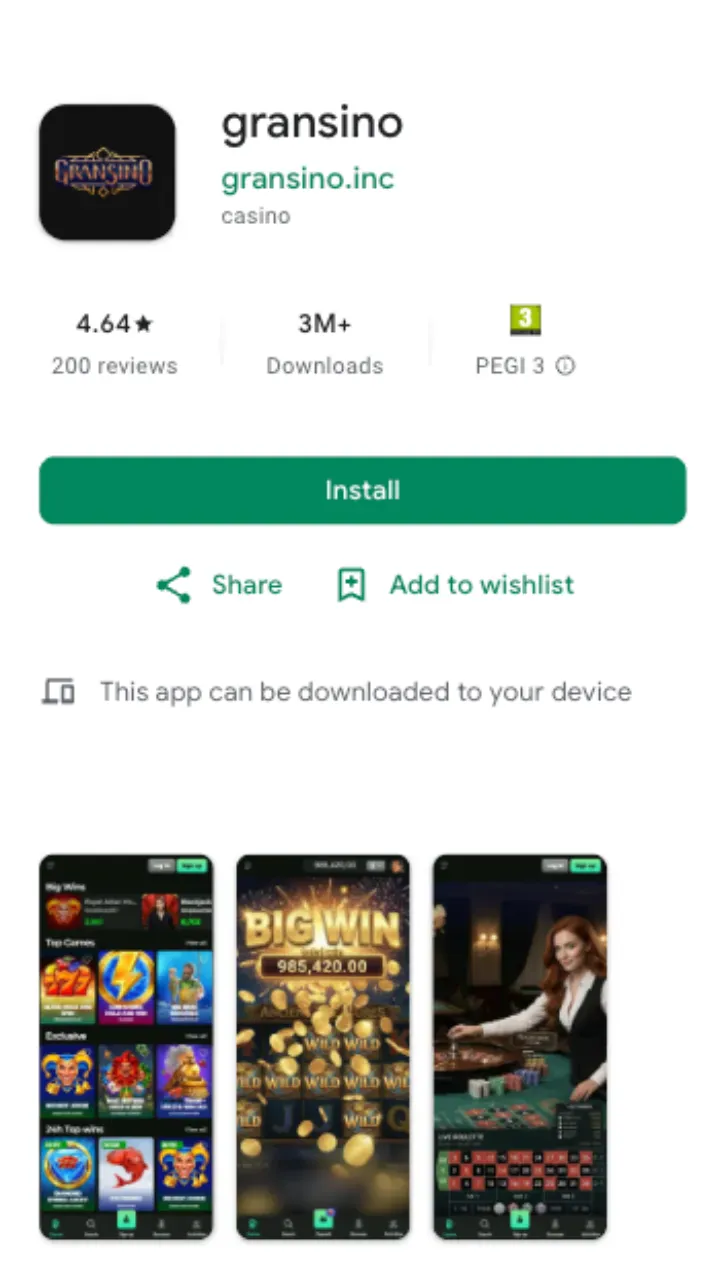
What you get on mobile
The mobile build is not a stripped-down clone of the desktop site. It carries the same catalogue of over 10,000 games, the same welcome offer of 100% up to £1,000 + 100 FS, and the same cashier limits. Titles from BGaming, Yggdrasil, Thunderkick, Spinomenal and Platipus load in portrait or landscape, and your account, balance and bonus progress sync the moment you log in.
One login covers every device. Start a session on your laptop, pick it up on your phone, and nothing resets. That matters most during wagering, when the x40 requirement and the 7-day window keep ticking whether you play on desktop or mobile.
Android vs iOS: what actually differs
Both platforms reach the same casino, but the route in is not identical. Here is the honest breakdown.
| Feature | Android | iOS |
|---|---|---|
| Install route | Web app / APK from the site, not Google Play | Add to Home Screen via Safari |
| Full game lobby | Yes | Yes |
| Live chat 24/7 | Yes | Yes |
| Cashier & withdrawals | Yes | Yes |
| Push updates | Automatic on relaunch | Automatic on relaunch |
Neither version lives on an official app store. Gambling apps face tight store rules in the UK, so operators route mobile access through the browser instead. That keeps the app current without update queues, and it means you install from the casino's own domain rather than a marketplace.
How to install on Android
The Android flow takes about a minute. No store account needed.
- Open the Gransino site in Chrome on your phone.
- Tap the menu (three dots) and choose Add to Home screen or Install app.
- Confirm the prompt. If you use a direct APK, allow installs from your browser in Android settings first.
- Launch the new icon, log in, and you are in the full lobby.
How to install on iOS
iPhone and iPad users add the casino to the Home Screen through Safari. It behaves like a native app once it is pinned.
- Open the site in Safari (not Chrome, as the install prompt is Safari-only).
- Tap the Share button at the bottom of the screen.
- Scroll and select Add to Home Screen, then tap Add.
- Open the icon from your home screen and sign in.
Deposits and withdrawals on the app
The mobile cashier mirrors the desktop one down to the last limit. Minimum deposit is £10, minimum withdrawal £20, and the daily cap sits at £4,000/day with a £30,000 monthly ceiling. Payout speed depends on the method: crypto lands within 24 hours, Visa and Mastercard take 1-3 business days, and bank transfers run 2-3 business days.
First withdrawal? Expect KYC. You will upload a passport or driving licence, a recent utility bill for proof of address, and proof of payment for your deposit method. Verification usually clears in up to 24 hours. You can start that process from the app, and photos taken on your phone speed it up. More detail sits on the payments section and the full bonus terms.
Bonuses work the same on mobile
Install the app and the welcome offer is right there: 100% up to £1,000 + 100 FS on your first deposit. Activate it with a £20 deposit, then clear the x40 wagering within 7 days. During wagering your max bet is capped at £5, and the third deposit carries a lighter x30 requirement. Free spins expire faster than bonus cash, so check the countdown in your account before you leave them sitting. The full walkthrough lives on the bonus page.
Support if something breaks
Stuck on an install or a stuck deposit? Live chat runs 24/7 and email support answers around the clock too, in English, German and Greek. The chat window opens inside the app, so you do not have to leave to get help.
Is the Gransino app worth installing?
If you play on your phone more than your desktop, yes. You lose nothing versus the browser and gain a one-tap icon, faster reloads and instant access to chat and the cashier. The trade-off is the install itself, since it comes from the site rather than a store, so make sure you are on the genuine Gransino domain before you tap install. Gransino Casino holds a Curaçao licence, and the mobile app operates under those same terms.
App FAQ
Is the Gransino app free to download?
Yes. The Android web app, the APK and the iOS Home Screen version all install for free. You only fund your account when you choose to deposit, from £10.
Why is the Gransino app not on Google Play or the App Store?
Real-money gambling apps face strict store policies in the UK. Gransino routes mobile access through the browser instead, which keeps the app updated automatically and lets you install straight from the official domain.
Do I need a separate account for the app?
No. One account covers desktop and mobile. Log in with the same details and your balance, bonuses and history sync across every device.
Can I withdraw through the app?
Yes. The mobile cashier handles the same methods and limits as the site, with a £20 minimum withdrawal and a £4,000 daily cap. KYC verification applies to your first payout.